

Zen Bamboo Timer

The Zen Bamboo Timer strips away the notifications, ads, and complex menus often found in modern productivity apps. It presents a clean dial and a numeric keypad that recalibrates for both portrait and landscape views. When the countdown finishes, a gentle wooden chime greets you. This sound is synthesized directly by the browser using the Web Audio API, requiring no external audio files. The timer saves your favorite durations to local storage so they are ready for your next session. I have released the full source code so you can host it yourself or use it directly in your browser.
You can view the repository here.
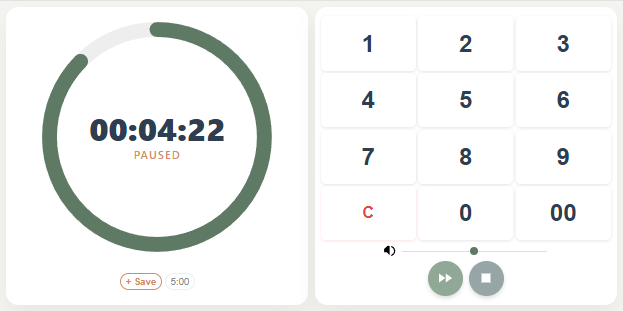
Here are the steps to get the timer running on your computer.
- Navigate to the GitHub repository and click the green Code button. Select Download ZIP to save the file to your computer.
- Open your Downloads folder and double click the ZIP file to extract the contents. Move this new folder to a permanent location like your Desktop or Documents.
- Open the extracted folder and look for the file named
zen-bamboo-timer.html. Double click it to launch the timer in your default browser. - Press Control D or Command D to bookmark the page. You can also drag the small icon next to the address bar onto your desktop to create a standalone shortcut that launches the timer instantly
 Rarely in the


 This new site